Geometry Dash Classic1.0
Publisher Description
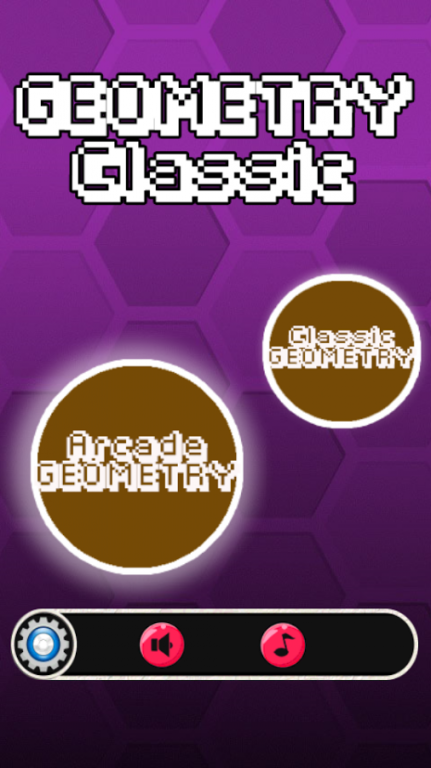
Geometry dash Classic is an addictive match 3, enjoy an exciting geometry Classic time!
Geometry crush is a fun match 3 games and the most Addictive dash and lovely geometry match games, geometry dash cruch is an addictive match 3, enjoy an exciting fish mania time! Its free puzzle and casual game.
Swipe your finger to Match 3 or more geometry dash pieces either horizontally or vertically to destroy and Crush the awesome and sweet geometric cruch and dash crush.
- PLAY over 99 levels of geometry cruch collecting and get extra bonus points .
- match more than three geometry to create powerful crash with great blasting animations.
-----Features-----
• Swap geometry clock to match 3 of the same!
• Complete the missions!
• Achieve 3 geometry cruch extrat to get more points!
• Get high score with boosters!
Tips
1. reach the specified scores by Combines the same type of caracters dash when changing the position.
2. Collecting the specified number of caracters.
3. Blows up the obstacles which keep the geometry dash crush combining.
About Geometry Dash Classic
The company that develops Geometry Dash Classic is AppVion.inc. The latest version released by its developer is 1.0. This app was rated by 131 users of our site and has an average rating of 3.0.
To install Geometry Dash Classic on your Android device, just click the green Continue To App button above to start the installation process. The app is listed on our website since 2016-12-17 and was downloaded 21,940 times. We have already checked if the download link is safe, however for your own protection we recommend that you scan the downloaded app with your antivirus. Your antivirus may detect the Geometry Dash Classic as malware as malware if the download link to appvion.inc.geometry.dash.classic.game is broken.
How to install Geometry Dash Classic on your Android device:
- Click on the Continue To App button on our website. This will redirect you to Google Play.
- Once the Geometry Dash Classic is shown in the Google Play listing of your Android device, you can start its download and installation. Tap on the Install button located below the search bar and to the right of the app icon.
- A pop-up window with the permissions required by Geometry Dash Classic will be shown. Click on Accept to continue the process.
- Geometry Dash Classic will be downloaded onto your device, displaying a progress. Once the download completes, the installation will start and you'll get a notification after the installation is finished.
